Browse and edit
Model tree, diagrams, saving with conflict detection.

ArchiMate, BPMN, product variability — nothing to install, with EA's locks and permissions.
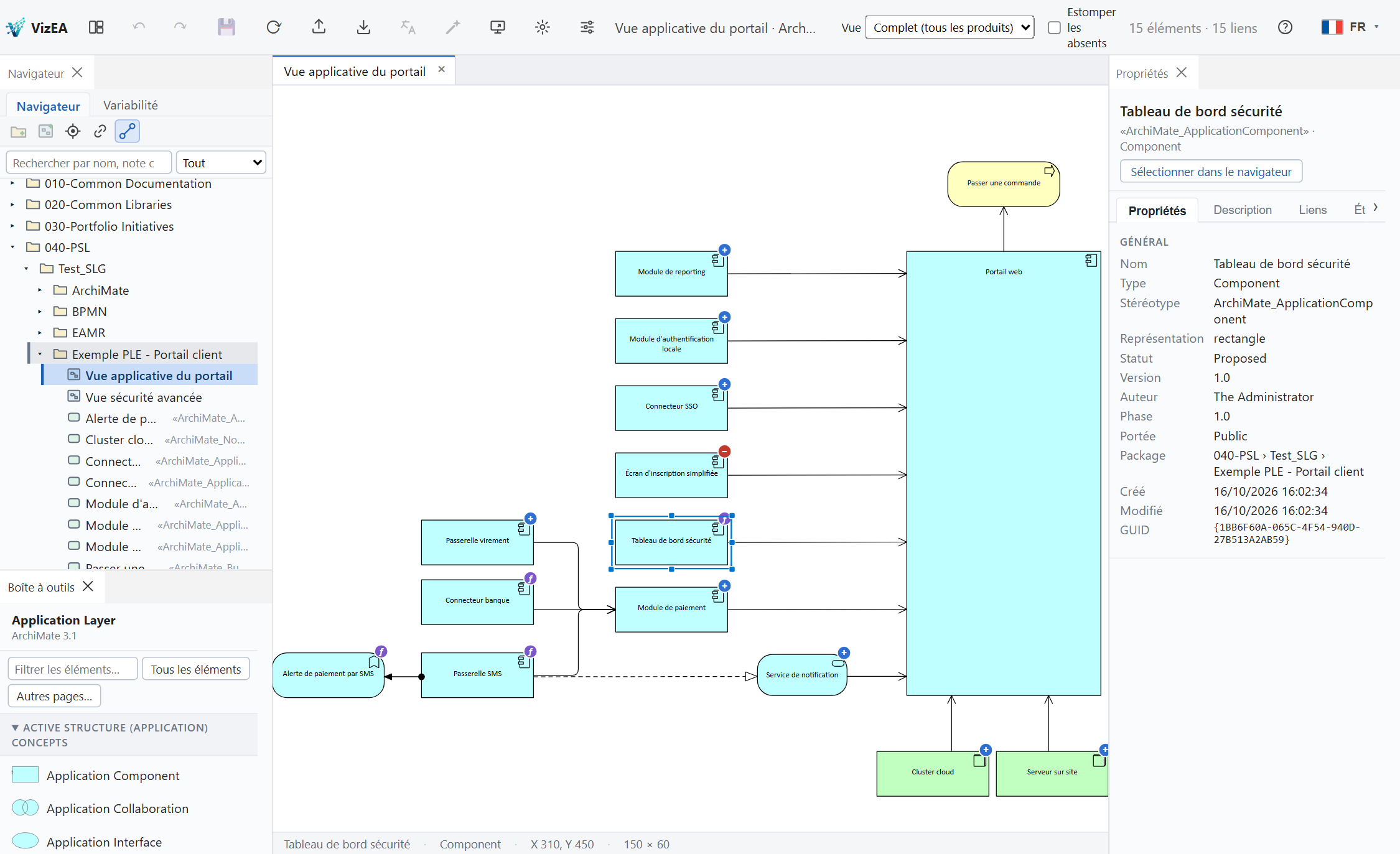
A smooth systems engineering and enterprise architecture experience, right in your browser.
Model tree, diagrams, saving with conflict detection.
EA-compatible locks, presence, permissions applied.
Features, products and views filtered by product.
XMI, ArchiMate and BPMN import and export, PDF, PNG, SVG, translation.
The architecture is designed for all four; the demo below runs on a SQLite repository.
Import and export your models and diagrams, with no re-typing.
XMI 2.1Packages, elements, tagged values, MDG stereotypes and diagrams.
.archimateArchi models and views, in both directions.
.drawioOpen in diagrams.net with ArchiMate 3 and BPMN shapes, and re-import.
.xmlThe open ArchiMate standard, to exchange with any compatible tool.
.bpmnStandard BPMN 2.0 files, for process modeling tools.
PDF · PNG · SVG · CSVShare your diagrams as documents, images or tables.
More formats are on the way.
Explore a real VizEA diagram: zoom with the wheel or the buttons, drag to move around.
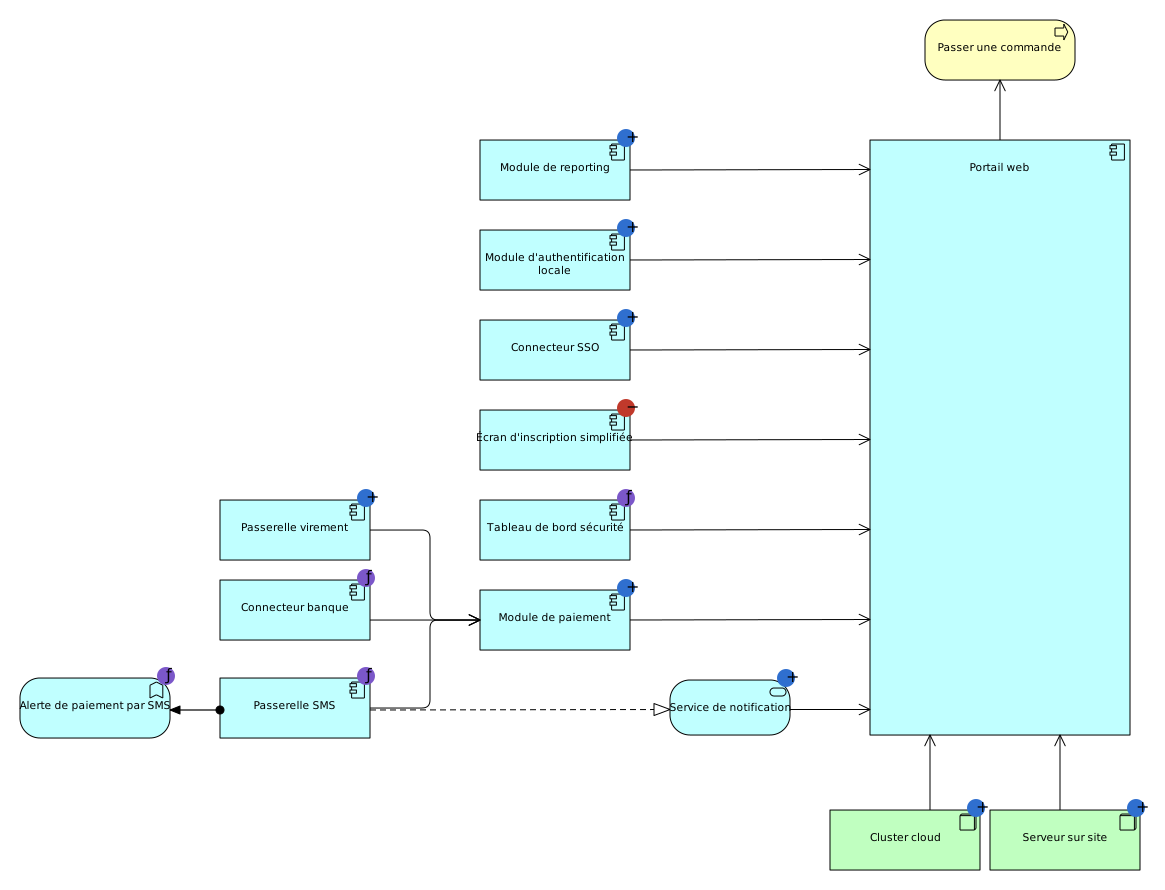
Read-only demonstration diagram (SQLite repository)
Reach your architecture models right away, without installing a heavy client.
Use your company credentials or your usual EA account.
Pick the Enterprise Architect model database: SQLite today, Access, PostgreSQL and SQL Server coming.
Browse and edit your ArchiMate or BPMN views directly.